Installation
Client Installation Instructions
Installation Details
The default installation location of the Alfred Desktop application is in:
C:\Program Files (x86)\Xenit Solutions\Alfred Desktop
The Alfred Desktop executable (Xenit.Fred.exe) is located in this directory. During installation shortcuts to launch Alfred Desktop are installed in the start menu.
Alfred Desktop requires the .NET 9 Desktop Runtime to be installed on the workstation. The runtime is not included in the Alfred Desktop set-up file and has to be installed separately. It can be downloaded from the .NET download page.
Local application resources like:
- Bookmarks
- User specific settings
- Log files
- Local cache files
- Local working copies of content files
are stored in the user’s roaming profile (%APPDATA% folder).
Clean Installation
Contact your system administrator for more information about the location of the Alfred Desktop set-up file.
- Download the set-up file to your local disk.
- Open the folder from the “alfred-desktop-x.y.z.msi” file download location and double click on it.
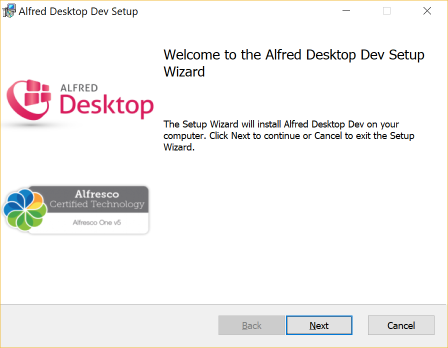
- Click on next.
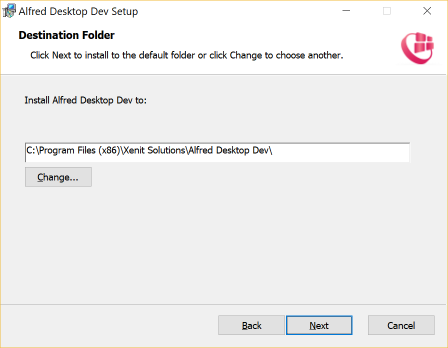
- If you do not want to use the standard setting, browse to the folder in which you wish to install the Alfred Desktop application.
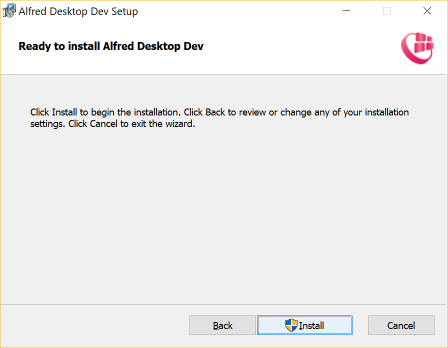
- Click on “Install”.
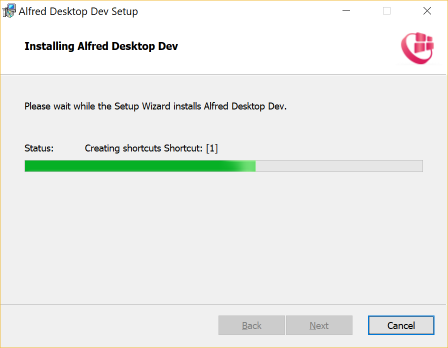
- The application is now being installed.
- Click on “Next”.
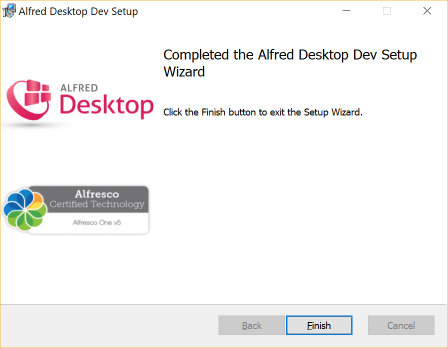
- Alfred Desktop has been installed. Click on “Finish” to complete the installation process.
In the program menu tree, new commands are now available under the XeniT Solutions folder:
- Alfred Desktop: starts the application
- Uninstall Alfred Desktop: removes the application from your computer
When the user starts Alfred Desktop for the first time it checks if he/she already has content at the old settings location from Fred. The content of the old settings location is then copied to the new settings location. That way the user keeps all bookmarks, saved searches and favorites from previous installations.
Backend Installation Instructions
The Alfred Desktop Backend consists of 2 separate amps and 2 simple jars. Each amp has to be installed for the Alfresco version and edition you currently have installed. There is also a third amp, called Alfred Desktop Legacy Backend, that is only used for backwards compatibility with older clients.
File Name Format Description
The file name format is described below contain the following abbreviations:
- XX describes the major version number of the module
- YY describes the minor version number of the module
- ZZ describes the micro version number of the module
- AA describes the build version number of the module
- BB is the Alfresco release type:
- enterprise
- community
- C.D is the version of Alfresco:
- 7.0
- 7.1
- 7.2
- 7.3
- 7.4
- 23.1
- 23.2
- 25.1
Alfresco MVC (required)
The Alfred API Backend amp no longer depends on Dynamic Extensions. Instead, it now relies on Alfresco MVC (https://github.com/dgradecak/alfresco-mvc).
Required artifacts are: * alfresco-mvc-rest (https://central.sonatype.com/artifact/com.gradecak.alfresco-mvc/alfresco-mvc-rest) * alfresco-mvc-aop (https://central.sonatype.com/artifact/com.gradecak.alfresco-mvc/alfresco-mvc-aop)
These artifacts can be deployed as simple modules.
Alfred API Backend Module Package (required)
The Alfred API Backend amp contains the standard REST api that is used for XeniT products.
File name format: alfred-api-CD.amp
The Alfred API module can be found on Maven Central (https://central.sonatype.com/search?q=alfred-api-)
Alfred Desktop Addon Backend Module Package (required)
The Alfred Desktop Addon Backend amp contains part of the backend that could not be included in the Alfred API Backend amp. This module contains only Alfred Desktop specific web scripts, behaviors, etc.
File name format:
alfred-desktop-backend-addon-alfresco-BB-C.D-XX.YY.ZZ.AA.amp
Alfred Desktop Legacy Backend Module Package (optional)
The Alfred Desktop Legacy Backend module provides backend compatibility with older versions of Alfred Desktop that do not use the new Alfred API Backend. It provides the previous endpoints that contains the functionality that has been replaced by the Alfred API Backend amp in the latest version.
File name format:
alfred-desktop-backend-legacy-alfresco-BB-C.D-XX.YY.ZZ.AA.amp
How to install
AMP files can be installed into the Alfresco WAR using the Module Management Tool.
- Stop the running Alfresco server (
./alfresco.sh stop) - Copy the following modules to the directory
$ALFRESCO/amps[^2]alfred-api-CD.ampalfred-desktop-backend-addon-alfresco-BB-C.D-XX.YY.ZZ.AA.amp
- Apply the amp modules (
./bin/apply_amps.sh) - Optional Step:
Copyalfred-desktop-backend-legacy-alfresco-BB-C.D-XX.YY.ZZ.AA.ampto the directory$alfresco/amps[^3].
This module package depends on
alfred-desktop-backend-addon-alfresco-BB-C.D-XX.YY.ZZ.AA.amp
to be installed. - Apply the amp modules (
./bin/apply_amps.sh) - Start the Alfresco server (
./alfresco.sh start)
When the Alfresco server is started, the Alfred Desktop backend will be
installed. Look at your Alfresco/Tomcat server logs
($TOMCAT/logs/catalina.out[^4]) when Alfresco/Tomcat is starting up,
for possible problems.
You can find more information on installing Alfresco Module Packages in the Alfresco documentation.